
If you’ve read my bio on the Life Planning Partners website, then you know I love live music and going to concerts. At a recent show, I noticed several texts and emails from my credit card companies asking if I was trying to make a large purchase from an unknown vendor. I definitely was not.
I realized I had become the target of a digital pickpocket.
What Digital Pickpocketing Is and How It Works
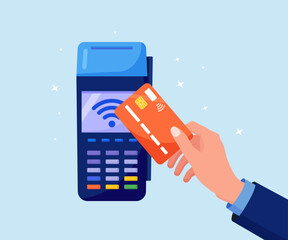
If you have ever tapped your card to pay at a store or restaurant, you have used Near-Field Communication (NFC). It is the same technology used in contactless credit cards, hotel keys, and employee ID cards.
Scammers use the same type of card readers to start a payment without you knowing. They move through crowded areas and press the reader against your pocket or wallet.
It can happen anywhere. In my case, my wallet was still in my back pocket. The reader only needs a quick tap to run the charge.
What Happened After the Charges Hit
Two of my cards blocked the attempted charges automatically. One card did not, and a $650 charge went through. When I called the credit card company, the representative knew exactly what had happened and said they have been seeing more of these cases lately.
A fraud claim was opened, the charges were reversed, and a new card had to be issued. Not exactly how I planned to end the weekend.
How You Can Protect Yourself
NFC only works within a few inches. Cards buried in a purse or a bag are likely fine. But if your wallet is in your back pocket, you might not feel someone pressing a reader against it.
Here are a few easy ways to avoid the headache I went through.
- Use a credit card instead of a debit card when possible
Credit cards usually offer better fraud protection, and your money does not leave your account right away. This gives you time to dispute anything suspicious. - Having more than one credit card
It helps to carry more than one card. If your issuer needs to lock your account and send a replacement, you still have another way to pay. Replacement cards generally take 7-10 days to arrive. Having multiple cards saved me because I could keep using a backup card for the rest of the weekend.
- Try an RFID-blocking wallet or card sleeve
These block scanners from reading your card and are an easy way to add a layer of protection. They make great birthday or Christmas gifts! - Use mobile payments
Apple Pay and similar services require identity verification, like Face ID or a fingerprint scan, before a payment processes. This adds an extra layer of security. - Keep transaction alerts turned on
Having credit card notifications and alerts enabled can help you catch suspicious activity quickly.
Digital pickpocketing is not something most people think about. It only takes a second for a charge to hit your card. A few small precautions can save you from dealing with the hassle later. Hopefully, my experience helps you avoid your own version of credit card fraud!